THE SHORT ANSWER
What should you know first?
Choose Z50, Z70 v2 or Z100 around the role of the panel and a mock-up of your actual controls. A larger display is useful only if it improves the intended interaction. Confirm the exact reference, mounting drawing, compatible software and required licences in the complete installation quote.
Our recommendation
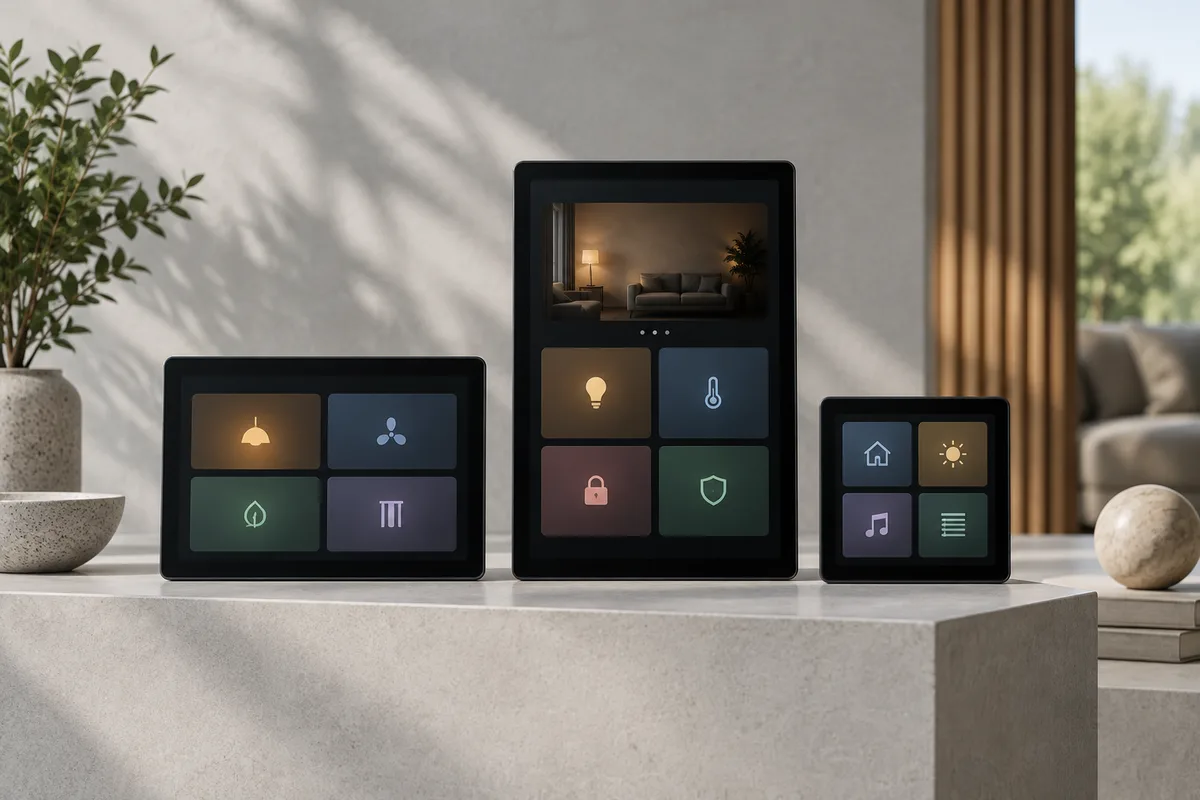
Consider Z50 for a compact room interface, Z70 v2 for a shared control point and Z100 when the design benefits from a larger overview. Validate a proposed screen layout first: more display area does not automatically make a system easier to use.
Original editorial analysis of manufacturer documentation, not a hands-on review. Prices are a dated website snapshot, not a live offer. Confirm the delivered Indian price, taxes, availability and warranty before purchasing.
Side-by-side comparison
On smaller screens, scroll the table horizontally.
| What to compare | Z50 | Z70 v2 | Z100 |
|---|---|---|---|
| Model reference | ZVIZ50 | ZVIZ70V2 | ZVIZ100 |
| Screen diagonal | 5 inches | 7 inches | 10 inches |
| Analogue/digital inputs | 2 | 4 | 4 |
| Independent thermostats | 2 | 2 | 2 |
| Presence/lighting sensing | Proximity sensor | Proximity and luminosity sensors | Proximity and luminosity sensors |
| Wall box | European/British standard | European/British double | European/British double |
| Extra licences | Remote control, video intercom and ZenVoice | Remote control, video intercom and ZenVoice | Remote control, video intercom and ZenVoice |
Table sources: [1] Zennio: Z50 and downloads[2] Zennio: Z70 v2 and downloads[3] Zennio: Z100 and downloads
What KNX means for this comparison
KNX is a wired and wireless building-control standard used by compatible devices from different manufacturers. A KNX label does not make every panel, actuator, software version or commissioned function interchangeable. Ask the integrator to identify the KNX topology, power supply, engineering tool, exact product references and the configuration files included at handover.
Sources: [1] Zennio: Z50 and downloads[2] Zennio: Z70 v2 and downloads[3] Zennio: Z100 and downloads[4] Zennio application program repository
Check the generation before comparing quotations
This article compares Z70 v2, not an unspecified Z70. Use the reference codes above to reconcile a dealer quotation with the manufacturer documentation. The current download pages list application version 4.3 and firmware 4.3.15 for this family; these are the versions observed during our review, not a claim about their release date. The installer should select the compatible application and firmware for the delivered hardware.
Sources: [1] Zennio: Z50 and downloads[2] Zennio: Z70 v2 and downloads[3] Zennio: Z100 and downloads[4] Zennio application program repository
Our recommendation: design one screen first
Ask for a mock-up containing your actual room names, lighting scenes, AC controls and curtains. Review it at the intended mounting height. If the family mainly needs a few frequent actions, a compact panel may be sufficient. If the panel is the shared overview for several spaces, a larger screen deserves a demonstration.
Do not replace every convenient physical control with a menu just because a display can contain many pages. Keep the most frequent action easy to find. A bedroom and a common entrance can reasonably use different interfaces within one coordinated project.
Licences can change the complete price
The manufacturer lists remote control, video intercom and ZenVoice as licensed functions. ZenVoice also requires the remote-control licence. A screen purchase therefore does not by itself confirm those features are activated. Ask the installer to identify licences and the supported intercom or voice integration in the proposed scope.
Sources: [1] Zennio: Z50 and downloads[2] Zennio: Z70 v2 and downloads[3] Zennio: Z100 and downloads
Specify the complete installation
No manufacturer-published India price was verified for these panels. Request separate amounts for the panel, licences, mounting work, KNX infrastructure and configuration. Have the electrician check the actual box drawing rather than treating the diagonal screen size as the mounting dimension.
- Model reference and compatible software documented at handover.
- Named functions and licences included in the quotation.
- Panel location, box dimensions and access agreed with the architect.
- Demonstration of local controls, remote access if ordered, and recovery after a restart.
How should you choose the right touchscreen size?
Choose the screen around the job it will perform at its actual location. A panel used for a few room functions is a different design problem from a shared overview for several areas of the home. The larger diagonal in a specification table tells you about display size, not whether the proposed layout is understandable. Ask the integrator to show your room names and most-used actions on each shortlisted format before deciding.
Start by counting frequent tasks rather than every possible feature. The homeowner may mainly need to select a lighting scene, adjust a room setting or check an agreed status. Those actions should be easy to find. Less common functions can be discussed separately. Filling a larger display with more controls simply because space is available can create a more demanding interface without improving daily use.
The Z50, Z70 v2 and Z100 distinctions above come from the linked manufacturer information. Nexoforma has not carried out hands-on usability, response-time or long-term reliability testing. The following sections explain how to evaluate a proposal and coordinate installation. They do not establish an independent performance ranking or guarantee that a particular screen will suit every room.
What should a useful screen mock-up contain?
Use real room names from the project drawings and a short list of agreed routines. Ask the integrator to create an example of the proposed navigation, labels and essential controls. The mock-up should show how someone reaches a common task from the normal starting screen. This makes it possible to compare interaction effort rather than only the size and visual style of the hardware.
Review the mock-up with regular users and someone unfamiliar with the system. Ask them to find an action without being guided through every step. Note unclear labels, unexpected grouping and functions that appear in several places without an obvious reason. These observations are more useful when recorded before programming is repeated across the whole installation.
Include exceptions in the discussion. A guest should not need to understand the entire home to operate a guest room, while an owner may want a broader overview. Ask which user-interface arrangements are supported by the selected application and configuration. Do not assume that every desirable permission or navigation concept is available simply because it can be drawn in a design mock-up.
Where should a room panel and a shared panel differ?
A room panel can prioritise the activities within that space. Its labels and actions should match the household's understanding of the room. A shared panel may need to distinguish locations more explicitly so that a user does not accidentally change another area. The design should make the scope of an action clear, particularly when a scene affects several rooms.
Discuss what belongs on physical controls and what belongs on the touchscreen. An essential light should not become inconvenient to operate solely because a display can host many functions. The appropriate balance depends on the users and the installation. Ask the architect and integrator to explain that balance instead of automatically replacing every familiar control with a menu.
A mixed panel strategy can be reasonable if it follows consistent naming and behaviour. For example, the entrance might provide a wider overview while private rooms use simpler layouts. Record the intended role of each panel in the schedule. This helps the supplier explain why a particular model is proposed at one location and avoids interpreting a larger model as an automatic upgrade everywhere.
How should mounting and wall design be checked?
Have the professional team review the exact mounting drawing for the ordered reference. Screen diagonal is not the wall-box dimension, and a generic room elevation is not sufficient installation guidance. Confirm the available space, cable access, finish build-up and service access before concealed work is closed. The manufacturer documentation and qualified professionals should determine the actual technical requirements.
Review the furnished plan as well as the wall elevation. Door swings, circulation, furniture and the normal user's position affect whether a screen is convenient. Glare and the surrounding lighting deserve a practical discussion using a sample where possible. Nexoforma does not prescribe a universal mounting height; the right location must account for users, design requirements and professional installation guidance.
Agree the visible relationship with other controls and finishes. A large panel can become a strong visual element, while a compact one may sit more quietly within the room. Neither characteristic is inherently better. Ask the designer to assess the panel in context, and ask the integrator to demonstrate that the chosen location still supports the intended daily tasks.
What do licences change in the quotation?
The manufacturer information identifies functions that depend on additional licences. Treat each ordered function as a named deliverable rather than assuming that buying the screen activates everything shown in promotional material. Ask the supplier to list the required licence, any dependency on another licence, activation responsibility and any relevant service or account conditions.
If remote control, video intercom or voice-related functions are part of your brief, request a demonstration of the specific proposed combination. Name the other devices and services involved. A general capability label does not prove that your exact door station, account or preferred use case is supported. The integrator should document the configuration it is promising to deliver.
Keep optional functions separate from essential local room operation. This makes it easier to understand the consequence of excluding an option or changing a service later. Ask the supplier to explain what remains available without each optional element. The answer should refer to the actual installed software and hardware, not an old brochure or a feature from a different product generation.
Why do model references and software versions matter?
Use the complete manufacturer reference on the quotation, procurement approval and handover list. In this comparison, Z70 v2 is the named model, so a proposal saying only Z70 needs clarification. Product-family shorthand may be convenient in conversation but can hide a different generation or configuration in a commercial document. Resolve that ambiguity before ordering.
Ask the integrator to record the compatible application and firmware used for the delivered hardware. The versions mentioned in the earlier source snapshot are observations from that review date, not instructions to install those versions indefinitely. The responsible professional should consult the current manufacturer repository and compatibility information when implementing the project.
Agree how future changes are managed. A software update, replacement panel or revised integration may require review or reconfiguration. Ask who decides whether an update is appropriate, how the configuration is protected and what support is included. Avoid treating newer as automatically better without considering the specific system and the supplier's documented process.
How do you compare panel cost with complete system cost?
Separate the panel itself from licences, mounting work, infrastructure, programming and handover. Ask which supporting components are already included elsewhere in the project and which are additional. A model-to-model price comparison is incomplete if one proposal includes configuration and another is only a hardware supply offer. Normalise the scope before drawing a conclusion about value.
Request the delivered Indian price and tax treatment for the exact reference and finish. Include any special-order conditions, delivery assumptions and warranty route. Nexoforma has not verified a universal public Indian installed price for these models. A foreign price or an old reseller listing should not be converted into a current local quotation without confirming supply and support conditions.
When reviewing a proposed upgrade, ask what benefit the larger model delivers at that location. More display area can be useful for a broader interface, but the justification should connect to the approved mock-up and daily tasks. If the extra area does not resolve a real problem, the household may prefer to spend the budget elsewhere in the system. That is a project decision, not a claim that one model is intrinsically poor value.
What should the acceptance demonstration cover?
Prepare a list of agreed functions and try them using the intended screen layout. Check that room names, scene names and displayed information match the final schedule. Ask the professional to explain any information that is a command state rather than a confirmed equipment state. A screen indicating that a command was sent does not necessarily answer every question about what the connected system actually did.
Where optional integrations were ordered, test the documented use cases with the relevant devices and accounts. Do not accept a demonstration of an unrelated showroom system as the only evidence. Record any limitations or unsupported features in the handover notes. If a requirement cannot be demonstrated, keep it on the unresolved-items list instead of assuming it will work after final payment.
Discuss safe recovery scenarios with the installer. Ask what the owner should expect after a restart or an interruption to a relevant service, and who should be contacted if the expected recovery does not happen. Electrical and network changes should be performed only by the appropriate people. The aim is to understand ownership behaviour, not to improvise potentially unsafe fault tests.
How can screen naming remain understandable over time?
Choose names that reflect the way the household describes spaces. A room called study in the drawings but office in the app can create unnecessary confusion. Record the agreed naming once and use it in the panel layout, quotation, scene schedule and support notes. Consistency helps users and future service professionals identify the same location.
Avoid overly clever scene names without an explanation of their effect. An evening routine might be useful, but the household should know which lights or curtains it changes. If a scene affects multiple rooms, make that scope apparent. Review names after a period of use and ask the supplier which adjustments are included in commissioning support.
Keep a change record when rooms are repurposed. A former guest room becoming a home office may need different routines and labels. Ask the integrator to update the interface and associated documentation together. A touchscreen's flexibility is most valuable when the implemented configuration stays aligned with real use rather than accumulating old pages and abandoned scenes.
What account and support questions should an owner ask?
Confirm who owns the relevant accounts and which access the integrator retains for support. Ask how access can be reviewed, revoked or transferred under the selected system. Keep recovery details securely with the owner rather than embedding credentials in a shared design file. The customer should understand the arrangement before commissioning is complete.
Ask what documentation another qualified integrator would need to assess the installation. Depending on the system and contract, that may include the equipment schedule, software information, project records or available configuration backups. Do not assume every proprietary tool or licence transfers automatically. Obtain a written explanation of what is supplied and what remains subject to separate conditions.
For support outside the supplier's main city, clarify remote diagnosis, site attendance and travel charges. A panel installed in a Tier 2 or Tier 3 city still needs a practical service route. National product availability is not the same as a local technician commitment. Record the contact and escalation process that applies to your property.
Three illustrative panel-selection scenarios
A homeowner wants a compact room interface with a limited set of daily actions. The shortlist begins with Z50, but the decision is made only after the proposed layout is demonstrated and the mounting requirements are checked. The family confirms that essential actions remain obvious and that the complete scope includes any required configuration. This is a use-case starting point, not a universal recommendation for all bedrooms or apartments.
A second household wants a shared control point for several spaces near an entrance. The team compares the Z70 v2 layout with the alternatives using actual room names and scene scope. It checks whether the interface communicates which area is being controlled and whether the location works with circulation and finishes. The household values a clear shared overview rather than simply choosing the middle size by default.
A third project has a deliberately designed location for a larger overview. Z100 enters the shortlist because the approved interface benefits from the extra display area. The team still checks navigation, mounting, licences and support. The larger screen is selected to solve a defined interaction requirement, not because a higher specification automatically improves every part of the home.
Common questions about Z50, Z70 v2 and Z100
Can a larger display replace all wall switches? That should not be assumed. Review the household's essential actions, accessibility needs and expected operation with the designer and integrator. A central screen and convenient local physical controls can serve different purposes. Ask for a complete interaction plan rather than selecting controls solely by the number of available screen pages.
Does the quoted screen include remote access and intercom? Only if the proposal explicitly includes the necessary licences, dependencies and supported configuration. Ask the supplier to identify them and demonstrate the ordered functions. The hardware family name is not proof that optional services have been purchased or commissioned.
Which model should a 3 BHK apartment buy? Bedroom count alone is insufficient. Define the role of each panel, the functions it presents, the users and the mounting conditions. Use a mock-up and an itemised local quotation to choose. Different locations within the same apartment can justify different interfaces while retaining a consistent overall control scheme.
Sources and verification
Frequently asked questions
What account and support questions should an owner ask?
Confirm who owns the relevant accounts and which access the integrator retains for support. Ask how access can be reviewed, revoked or transferred under the selected system. Keep recovery details securely with the owner rather than embedding credentials in a shared design file. The customer should understand the arrangement before commissioning is complete.
What account and support questions should an owner ask?: point 2
Ask what documentation another qualified integrator would need to assess the installation. Depending on the system and contract, that may include the equipment schedule, software information, project records or available configuration backups. Do not assume every proprietary tool or licence transfers automatically. Obtain a written explanation of what is supplied and what remains subject to separate conditions.
What account and support questions should an owner ask?: point 3
For support outside the supplier's main city, clarify remote diagnosis, site attendance and travel charges. A panel installed in a Tier 2 or Tier 3 city still needs a practical service route. National product availability is not the same as a local technician commitment. Record the contact and escalation process that applies to your property.
Continue your research
Put your questions into a project brief.
Tell us your priorities and location in India. We will review your request as our professional network grows.
Plan my project →Build a free budget · Draft a project brief · Compare quotations · Check a quote with Ved
Found something that needs correcting? Tell our team. This guide is a planning checklist, not a site-specific design or electrical instruction.
← All guides